DocsGPT for Support and Research: When a Grounded Assistant Is the Right Skill
DocsGPT is a good fit when the job is not “write an answer from memory,” but “answer from a known body of documents and make the source path easy to review.” That distinction matters for support teams, research teams, education operators, and internal enablement groups. A grounded assistant can reduce lookup time, but only when the document base is clean enough, access is scoped enough, and the workflow still leaves room for human judgment.
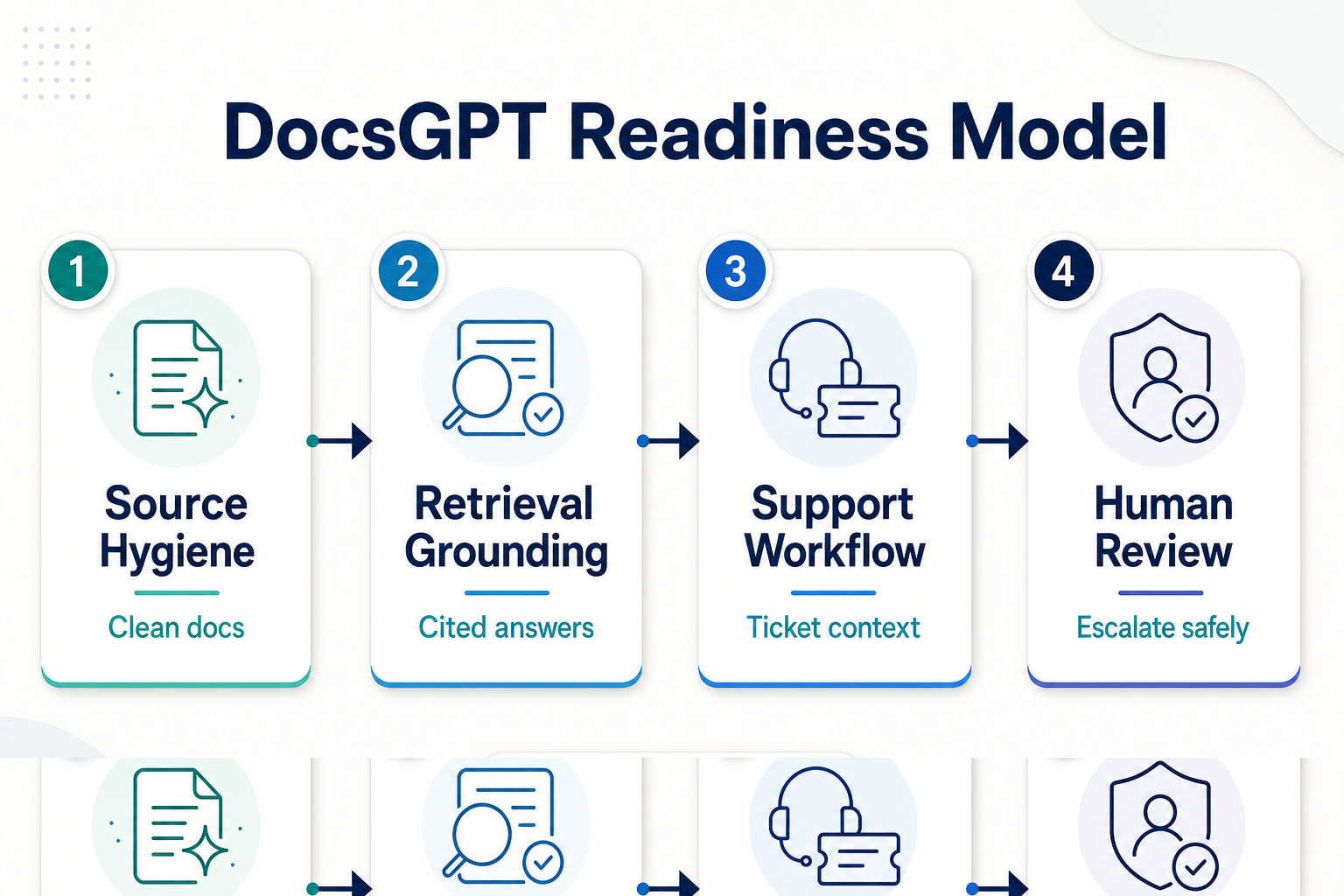
| Readiness check | What good looks like | Stop if |
|---|---|---|
| Source hygiene | Current docs, clear owners, retired pages removed | The corpus mixes stale, draft, and public policy content |
| Retrieval grounding | Answers can point back to the material used | Users need uncited advice or open-ended invention |
| Workflow fit | Lookup, summarization, triage, and draft preparation | The agent is expected to approve refunds, policies, or outcomes alone |
| Review path | Clear escalation for uncertainty, regulated topics, and customer impact | No one owns answer quality after deployment |
In Short
- DocsGPT is strongest when teams need answers grounded in a controlled document set, not broad web research or autonomous support action.
- Support teams should pair grounded answers with ticket context from tools such as Zendesk MCP workflows or Freshdesk MCP workflows.
- Research teams should use it for known libraries, policy sets, training material, and internal documentation before reaching for broader research agents.
- The risk is not that retrieval is useless. The risk is treating a retrieval assistant as if it can fix messy source material, missing permissions, or weak review habits.
Who this is for
This guide is for operators who already have documents people ask about every day: help-center articles, onboarding guides, product manuals, course notes, policy libraries, runbooks, or research folders. The reader might be a support lead, a DevRel owner, an education program manager, an internal tools engineer, or a founder trying to reduce repeated lookup work without handing final decisions to an agent.
DocsGPT is less useful when the task is open-ended discovery. If the team needs to scan the web, compare public sources, or generate a research report from unknown material, start with a research workflow such as GPT Researcher or Local Deep Research. If the team already knows the trusted document set and needs faster answers from it, a document-grounded assistant is the cleaner starting point.
Decision path
Start with the source material, not the assistant. Ask whether the documents are current, whether someone owns them, and whether the answer should be limited to those documents. If the answer is yes, DocsGPT can sit in the middle of the workflow as a retrieval layer: user asks, assistant retrieves relevant passages, answer is drafted with evidence, and a person reviews anything that affects customers, policy, money, health, legal status, or access.
For support teams, the right design is usually not “chatbot replaces the queue.” A better first pass is: ticket arrives, an agent pulls the customer’s question and relevant account context, DocsGPT searches the approved help material, the agent drafts a response with citations or linked sources, and a support teammate approves or edits it. That keeps the work inside a reviewable support loop. It also leaves room for ticket systems, customer history, and escalation rules to do their jobs.
For research and education teams, the workflow is similar but the handoff changes. A student, analyst, or internal teammate asks about a known corpus. DocsGPT retrieves the relevant module, paper notes, policy page, or internal memo. The output should show where the answer came from and what remains uncertain. That is different from asking a model to reason from general memory. The value comes from reducing search cost while keeping the source trail visible.
Do not skip access design. A grounded assistant that can read every internal document may become harder to trust than a smaller one with scoped collections. Separate public help material, customer-specific documents, employee-only policy, draft planning documents, and regulated records. If those collections need different reviewers, make that boundary visible in the workflow before users start depending on the assistant.
Recommended ASE skills
| Skill | Use it for | Review boundary |
|---|---|---|
| DocsGPT | Answering from a controlled document base for support, training, or internal knowledge lookup. | Require review when the answer affects policy, account status, refunds, compliance, or sensitive data. |
| Claude Code support skills | Ticket triage, reply drafting, and structured support handoff. | Keep customer-facing replies in draft until a teammate approves them. |
| Zendesk ticket and Help Center workflows | Connecting grounded answers to real support queues and help-center content. | Limit write actions and preserve escalation for ambiguous cases. |
| Freshdesk MCP workflows | Inspecting and updating Freshdesk tickets with agent-readable context. | Use safe update rules; do not let retrieval confidence become automatic closure. |
| Kotaemon document collections | Chatting with private document sets where local ownership and retrieval behavior matter. | Separate private collections by audience and sensitivity. |
| RAGFlow document-grounded workflows | Building document context pipelines when parsing and retrieval quality need attention. | Test ingestion quality before trusting answers from complex PDFs or mixed-format files. |
Starter workflow
A practical DocsGPT rollout can start small. Pick one high-volume question set, such as “billing policy questions,” “course module questions,” or “internal onboarding questions.” Create a document collection for only that topic. Remove stale pages, duplicate drafts, and content with unclear ownership. Add source names that humans recognize, because source labels are part of review quality.
Next, define the answer shape. The assistant should answer briefly, list the source material used, and say when the source set does not answer the question. It should avoid filling gaps with confident speculation. This is where retrieval-augmented generation, often shortened to RAG, is useful: the model is asked to ground its response in retrieved material rather than rely only on parameters. The IBM Research explanation of retrieval-augmented generation is a helpful external primer on why that architecture exists.
Then connect the assistant to the place where the work actually happens. In support, that may mean a Zendesk or Freshdesk ticket view. In research, it may mean a shared workspace where citations and notes can be checked. In education, it may mean a course-support queue where staff can see the module or reading cited by the assistant. The assistant should not be a separate magic box; it should fit into the review habit the team already uses.
Finally, test with failures. Ask questions that should be refused because the source material does not cover them. Ask questions that require escalation. Ask questions where two documents disagree. Ask questions with a customer-specific twist. If the assistant cannot surface uncertainty in those cases, the issue may be the source corpus, the prompt boundary, the retrieval settings, or the workflow design. Fix that before expanding to more documents.
What to watch
The first warning sign is stale source material. A grounded assistant can only be as current as the documents it is allowed to read. If a help-center page says one thing and a release note says another, the assistant may retrieve both. That is not a model problem by itself; it is a content ownership problem exposed by automation.
The second warning sign is missing citations or weak source labels. Operators do not need decorative references. They need enough source evidence to decide whether the answer is usable. If a draft answer cannot point to the page, section, policy, ticket, or note it used, keep it out of customer-facing or decision-support workflows.
The third warning sign is action creep. A grounded assistant can draft a support reply, summarize a policy, or identify the likely source document. That does not mean it should approve an exception, close a complaint, change a customer record, or make a regulated recommendation. Pair DocsGPT with ticket and workflow tools carefully, and keep the first deployment read-heavy.
The fourth warning sign is one giant knowledge base. It is tempting to ingest everything. In practice, smaller collections often produce clearer answers and simpler review. Split collections by use case: public help, support macros, internal runbooks, partner docs, research notes, training material. If the user’s role should not see a collection directly, the assistant should not see it on their behalf.
Where DocsGPT fits in the larger ASE map
DocsGPT is part of a broader retrieval and support pattern on ASE. It can be the document-grounded answer layer, while support-specific skills handle ticket context and routing. For heavier retrieval stacks, teams may look at RAGFlow, Kotaemon, vector search, or graph-backed document workflows. For open-ended research, they may move to GPT Researcher or Local Deep Research. The point is to route the job correctly: known documents call for grounded lookup; unknown external questions call for research; customer work calls for support workflow controls.
The cleanest adoption path is boring in the best sense: choose one corpus, define one workflow, test uncertainty, require review, and expand only after the answer trail is easy to inspect. That is how a grounded assistant becomes operationally useful without pretending to be a final authority.
FAQ
Is DocsGPT a replacement for a support agent?
No. Treat it as a lookup and draft-preparation layer. A support teammate should still review replies, especially when the issue involves billing, access, policy exceptions, account state, or a frustrated customer.
When should I use DocsGPT instead of GPT Researcher?
Use DocsGPT when the trusted answer should come from a known document set. Use GPT Researcher when the job is to gather and synthesize information from broader external sources.
What should I prepare before deploying a grounded assistant?
Prepare a clean document collection, source ownership, access boundaries, expected answer format, refusal behavior, and a review path. Skipping those basics creates avoidable answer-quality problems.
Can DocsGPT handle private internal documents?
It can be used with private document collections, but access design matters. Split collections by audience and sensitivity, and verify that the assistant cannot expose documents to users who should not see them.