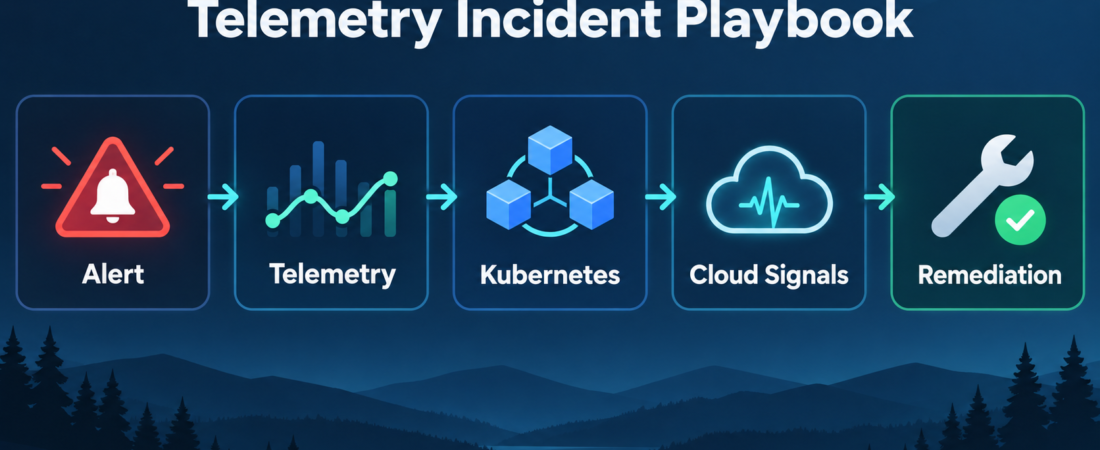
A Telemetry Incident Playbook for Kubernetes and Cloud Signals
A telemetry incident playbook gives an on-call team one bounded way to move from alert noise to reviewable evidence. The useful version does not ask an agent to “fix production.” It asks the agent to collect the right signals, separate symptoms from recent change, map Kubernetes evidence to cloud evidence, and prepare remediation notes for human approval.
| Signal lane | Agent task | Human review output |
|---|---|---|
| Alert | Capture trigger, service, time window, severity, and known customer impact. | Incident scope and first hypothesis. |
| Telemetry | Collect traces, metrics, logs, and deployment markers for the same window. | Evidence bundle with gaps called out. |
| Kubernetes | Check pods, events, resource pressure, restarts, probes, and rollout state. | Cluster findings tied to affected service paths. |
| Remediation | Draft rollback, scale, routing, or escalation options with risk notes. | Approved action, owner, and follow-up questions. |
In Short
Use a telemetry incident playbook when production symptoms cross several systems at once: an alert fires, traces slow down, Kubernetes events look suspicious, cloud networking changes appear nearby, and the team needs a clean handoff before making changes. The Kubernetes debugging documentation groups monitoring, logging, application debugging, and cluster debugging as related troubleshooting work. OpenTelemetry documentation describes telemetry as traces, metrics, and logs that can be generated, collected, and exported by a vendor-neutral framework. Google’s SRE material frames the discipline around keeping production services available, low-latency, performant, and adequately provisioned.
The operator pattern is to let agents gather and structure evidence, then keep authority with the responder. That means bounded read access, fixed time windows, named sources, and a written recommendation that says what was observed, what is uncertain, and what action needs human approval.
Who this is for
This is for SREs, platform engineers, DevOps leads, and small infrastructure teams that run Kubernetes or cloud services and want incident work to become more repeatable. It fits teams with observability data, cluster access, and on-call expectations, but without a large incident command staff.
It is also useful for teams introducing agent workflows into production support. If an agent can produce a clear packet of alerts, telemetry, cluster facts, network clues, recent changes, and proposed next steps, the human responder can spend more time deciding and less time copying data between tools.
Decision path
Start with the alert, not the dashboard. Ask the agent to record the alert name, affected service, start time, severity, related alerts, and explicit customer impact. Fix the investigation window early: for example, 30 minutes before the first alert through the current time. A fixed window keeps traces, metrics, logs, Kubernetes events, and cloud changes comparable.
Next, collect telemetry across the same window. Traces can show which request paths slowed or failed. Metrics can show saturation, error rate, latency, traffic shape, and resource pressure. Logs can provide failure messages and deployment clues. OpenTelemetry’s traces, metrics, and logs framing keeps the packet from becoming just screenshots from one monitoring surface.
Then move into Kubernetes evidence. Have the agent inspect pod readiness, restarts, image changes, rollout state, node pressure, events, probes, limits, and recent configuration changes. Kubernetes separates application debugging from cluster debugging for a reason: a failing pod, exhausted node, broken service, and bad deployment can look similar from the alert surface. The playbook should label which layer each finding belongs to.
Add cloud and network context only after the local service picture is clear. Look for load balancer changes, DNS updates, firewall rules, service mesh behavior, egress failures, certificate timing, and region-specific degradation. The goal is not to prove a network cause by default. It is to rule in or rule out the paths that explain the observed symptom.
Close with remediation options. The agent should draft two or three actions, each with evidence, expected effect, blast radius, rollback notes, and confidence. A good handoff says “scale deployment X because CPU throttling and queue depth rose after rollout Y,” or “escalate to cloud networking because service pods are healthy while external requests fail at the edge.” It should not hide uncertainty.
Recommended ASE skills
Use the queue item’s incident skills first. Investigate telemetry incidents with Monoscope MCP and agent-mode CLI is the broad telemetry lane for building a signal packet. Investigate production incidents across Kubernetes and cloud signals with HolmesGPT fits the cross-system diagnosis step where cluster and cloud clues need to be compared. Investigate production incidents across observability signals and draft next remediation steps with OpenSRE is useful when the output needs to become a remediation brief instead of a pile of facts.
For Kubernetes-specific depth, add Analyze Kubernetes cluster issues through MCP with K8sGPT for cluster health, events, and workload findings. Use Investigate Kubernetes network incidents through MCP with Kubeshark when the evidence points toward service-to-service traffic, packet paths, DNS, ingress, egress, or mesh behavior. Together, these five skills cover the normal incident chain: alert, telemetry, cluster, network, and decision.
What to watch
The main risk is overreach. Read-only investigation can still expose secrets, customer data, internal URLs, or sensitive topology. Scope agent access to the systems needed for the incident, redact before sharing, and keep the final packet focused on operational facts.
Watch for mixed time windows. If logs cover one interval, traces another, and deployment history a third, the agent may connect events that only look related. Also watch for summaries that omit failed checks. In incident review, “not checked” and “checked but clean” are different facts.
Finally, keep remediation separate from execution. The playbook can recommend rollback, scaling, traffic shift, config revert, or escalation, but the production action should still pass through the team’s normal approval path unless you have designed and tested a narrower automation route.
FAQ
Should the agent change production during the incident?
Start with investigation and recommendation. Let the agent collect evidence and draft options, then require a human to approve production changes. Autonomous remediation needs a much narrower policy, tested rollback behavior, and strong audit logs.
How many tools belong in the first version?
Use the smallest set that covers your actual incidents. For many teams, that means one telemetry route, one Kubernetes diagnostic route, and one remediation-brief route. Add network packet or cloud-specific tools when incidents repeatedly require that layer.
What should the final incident packet include?
Include alert details, time window, affected services, telemetry findings, Kubernetes findings, cloud or network findings, recent changes, rejected hypotheses, recommended actions, confidence, owner, and follow-up work. The packet should be useful even if the next responder joins cold.