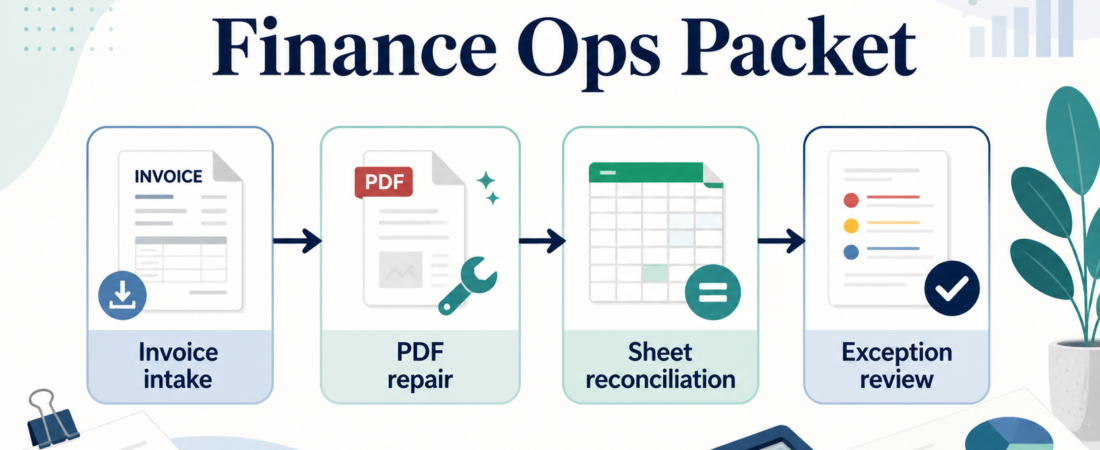
A Finance Ops Packet for Invoices, Sheets, and Exception Review
A finance ops packet is the review bundle a team can trust before an invoice is paid, corrected, disputed, or escalated. The useful version is not just extracted text from a PDF. It ties the original vendor document, any PDF repair notes, spreadsheet reconciliation, and exception review into one bounded trail.
| Packet stage | Evidence to keep | Human checkpoint |
|---|---|---|
| Invoice intake | Original PDF, extracted fields, confidence notes | Vendor, amount, tax, due date, purchase order |
| Document repair | Split, merge, rotation, page-order changes | No page lost before extraction |
| Exception review | Sheet row, source link, mismatch reason | Approve, correct, dispute, or hold |
In Short
Start finance automation with a packet, not a promise. The packet should answer five questions: what document arrived, what fields were extracted, what changed during cleanup, what the spreadsheet says, and which exceptions still require a person. That keeps the agent useful without turning it into an unreviewed payment authority.
The safest workflow is narrow: extract invoice fields, normalize broken PDFs when needed, search the document set before manual review, reconcile in a sheet or accounting queue, then route exceptions to a named reviewer. Google documents the Sheets API as a way to read and write spreadsheet values through structured API calls, and qpdf documents repair and transformation operations for PDF files. Those are good boundaries to respect: structured sheet operations are not the same as approval, and PDF repair is not the same as financial validation.
Who this is for
This article is for finance ops leads, founders, controllers, and operations teams that receive vendor invoices in mixed formats and still depend on spreadsheets for review. It also fits teams preparing agent workflows around shared inboxes, PDF folders, Google Sheets, QuickBooks, or Lark and Feishu workspaces.
It is not a replacement for accounting policy, procurement controls, audit requirements, or tax review. The agent should prepare the packet and highlight conflicts. A human should own vendor approval, payment release, write-offs, and policy exceptions.
Starter workflow
Begin with a single invoice source, such as a vendor inbox or upload folder. For each PDF, keep the original file and create a structured extraction record with vendor name, invoice number, invoice date, due date, line total, tax, currency, purchase order reference, and payment instructions. Use Extract invoice fields from vendor PDFs into structured records as the intake skill when the main job is turning a vendor PDF into fields a reviewer can inspect.
Next, add a repair step only when the document needs it. Scanned packets often arrive with rotated pages, attached terms, duplicate pages, or merged statements. Use Repair, split, merge, and normalize PDFs with qpdf before downstream processing when page order and file shape affect extraction quality. Keep the repair log beside the extracted record so the reviewer can see what changed.
Before escalating an exception, search the surrounding evidence. A missing purchase order may be in a statement, email attachment, contract PDF, or archived folder. Search PDFs, Office files, ebooks, and archives with one query before manual review is the right fit when the workflow needs retrieval across messy files before someone spends time opening documents one by one.
For reconciliation, write to a controlled sheet or accounting review queue, not directly to payment. The Google Sheets API documentation describes structured access to spreadsheet values; use that style of boundary for row creation, status updates, and review notes. If the team works in Lark or Feishu, Automate Lark and Feishu docs, sheets, mail, calendar, meetings, and chat tasks from agents with lark-cli can route packet updates through the workspace where reviewers already work.
Finally, treat accounting-system reconciliation as a separate review layer. QuickBooks Online Invoice Reconciliation Agent is useful when the packet needs to compare invoice data with accounting records and produce mismatch notes. Keep the final states simple: ready for approval, needs correction, duplicate risk, vendor dispute, policy exception, or hold.
Recommended ASE skills
- Extract invoice fields from vendor PDFs into structured records for the intake record.
- Repair, split, merge, and normalize PDFs with qpdf before downstream processing for document cleanup with a traceable repair step.
- Search PDFs, Office files, ebooks, and archives with one query before manual review for evidence lookup before escalation.
- Automate Lark and Feishu docs, sheets, mail, calendar, meetings, and chat tasks from agents with lark-cli for workspace routing.
- QuickBooks Online Invoice Reconciliation Agent for accounting-record comparison and exception notes.
What to watch
Do not let extraction confidence turn into approval confidence. A field can be parsed correctly while the invoice is still invalid, duplicated, outside budget, or sent by the wrong vendor entity. Separate parsing, reconciliation, and approval in the packet.
Watch for silent document changes. If a workflow uses qpdf or any other repair step, preserve the original and the repaired copy. The qpdf documentation is a useful reference for understanding the kinds of transformations available, but the business rule should be simpler: no repaired document moves forward without a visible note.
Also watch permissions. The agent may need read access to invoices, spreadsheets, and archives, but it usually does not need permission to release payments or edit vendor banking details. Put those actions behind human review and existing finance controls.
FAQ
Should the agent approve invoices automatically?
No. A practical finance ops packet prepares evidence for approval. It should not become the approval authority unless the business already has explicit rules, limits, and audit controls for that action.
What is the smallest useful first version?
Start with one vendor folder, one extraction schema, one spreadsheet, and one exception reviewer. That is enough to test whether the packet reduces manual checking without adding hidden risk.
Where should exceptions go?
Route them to the system where finance already works: a review sheet, accounting queue, ticket, or workspace thread. The key is to include the source PDF, extracted values, mismatch reason, and next requested decision in the same place.