ASE Weekly Changelog: What Changed, What to Try, What to Watch
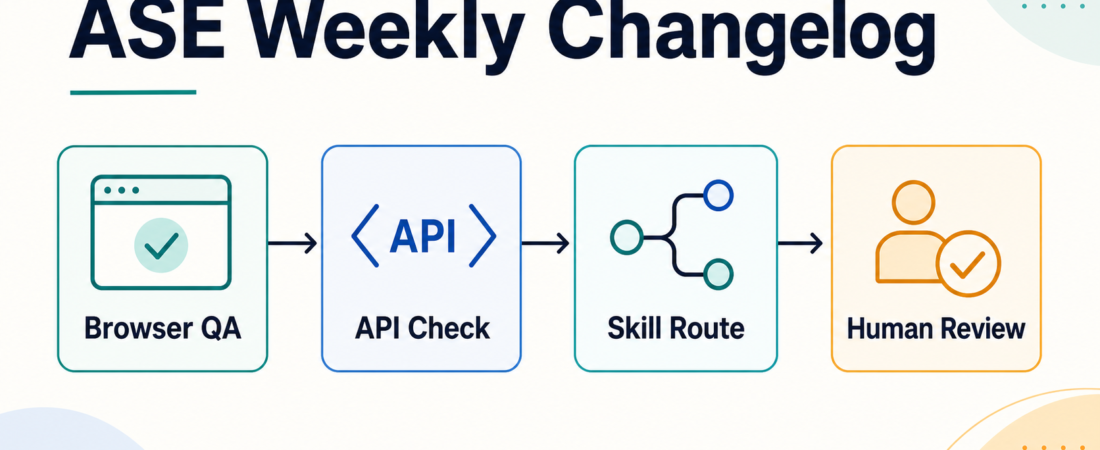
This week’s ASE changelog is less about chasing a new tool and more about tightening the way teams review agent-written web work. The useful pattern is simple: give the agent a narrower browser-checking route, connect that route to API or WordPress evidence when the change touches content or endpoints, and keep the review points visible before anything gets merged or published.
| Track | Try this week | Review signal |
|---|---|---|
| Browser QA | Run a focused Playwright check after agent UI edits | Screenshot, URL, failing selector, console note |
| API surface | Confirm schema, permissions, and response shape | Endpoint, status code, contract note |
| Operator review | Decide what the agent may fix and what needs a person | Bounded patch, rerun evidence, rollback path |
In Short
The practical change to try is a browser QA loop that starts small. Ask the agent to verify the page it changed, collect a visible artifact, and hand back a repair note instead of a broad statement that the app works. That keeps the check cheap enough to run often and specific enough for a human reviewer to trust.
ASE’s current browser and API skills make that easier because they separate three jobs that often get blurred together: driving the browser, checking the API or content contract, and deciding whether the result is acceptable for production. When those jobs are separate, a failed check becomes useful input instead of noise.
Who this is for
This is for teams letting coding agents touch web pages, admin screens, docs sites, WordPress builds, or lightweight product surfaces. It is especially relevant when the change looks harmless in a diff but can still break navigation, forms, responsive layout, embedded media, or a REST-backed block.
It also fits small teams without a dedicated QA function. You do not need a full test platform to get value. One deterministic browser path, one API sanity check, and one human decision point are enough to catch the failures that normally slip through agent-generated code review.
Starter workflow
Start with the smallest user path that proves the change matters. For a page edit, that might be loading the URL, confirming the main heading, clicking the changed control, and taking a screenshot. For a WordPress or CMS change, add one REST check so the browser result is tied to the underlying content or route.
Then make the output concrete. A good agent handoff should include the tested URL, the command or MCP step used, the expected state, the observed state, and whether the agent made a repair. Avoid broad pass/fail summaries when the evidence can be more precise.
Finally, keep permissions bounded. Browser automation should be allowed to observe, click through test paths, and collect evidence. It should not be allowed to submit live customer data, change production settings, or publish content unless that action is the explicit purpose of the workflow and a human has approved the boundary.
Recommended ASE skills
Use Drive token-efficient browser testing from coding agents with Playwright CLI when the team wants a command-line browser check that can run close to the coding loop without dragging a long session transcript into every review.
Use Run browser and API automation through the Playwright MCP server when the agent needs browser steps and API checks available through one MCP route. This is useful when a page change depends on both rendered behavior and a backend response.
Use Build and debug custom WordPress REST API endpoints with schema and permission guardrails when the changed surface is a WordPress route, block, or integration where permissions and response schema matter as much as the page render.
Use Test agent-written web changes in a real browser and hand failures back for repair with Expect when the main need is a repair loop: observe the failure, return exact evidence, patch narrowly, and rerun the same check.
Use Verify local web apps with Playwright scripts and managed dev servers when the practical blocker is orchestration. Managed server startup, repeatable scripts, and clear teardown reduce the chance that a check passes only because a developer’s local state was already warm.
What to watch
Watch for checks that become too broad. A browser QA skill should not turn every small change into a full regression suite. Keep the first path narrow, then add more paths only when failures repeat or the surface is shared across multiple workflows.
Watch for evidence that cannot be replayed. A screenshot without the URL, viewport, and step description is weaker than it looks. A failed selector without the surrounding DOM or visible state can also send the repair step in the wrong direction.
Most of all, watch the boundary between verification and action. Browser tools can click real buttons. API tools can touch real endpoints. The weekly habit should be to prove behavior first, then decide deliberately whether the same agent is allowed to make the next change.
FAQ
Should every agent-written web change run through browser QA?
No. Text-only edits, isolated documentation fixes, and changes covered by strong existing tests may only need a quick render check. Use browser QA when a user-visible workflow, layout, form, route, or state transition could break.
Is Playwright enough by itself?
Playwright is a strong browser layer, but it does not replace API schema review, permission checks, or human product judgment. The practical stack is browser evidence plus the contract check that matches the changed surface.
What changed this week that teams should actually try?
The useful shift is operational: treat browser and API skills as small review routes, not as a vague promise that agents can test everything. Pick one page, one path, one artifact, and one repair loop. That habit compounds faster than adding a large test plan nobody runs.
For broader context, keep an eye on the ASE blog and use the marketplace pages above as the source of truth for skill boundaries before adding them to a production agent.