ASE Weekly Changelog: New Operator Recipes and Trust Checks
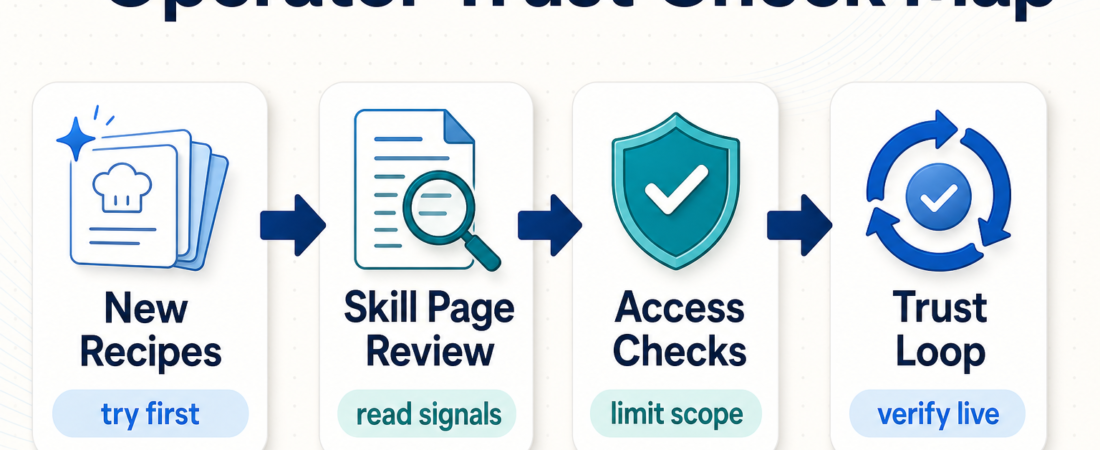
This week on Agent Skill Exchange, the useful theme was not “more automation.” It was better judgment before automation: read the skill page, choose a bounded recipe, limit access, and verify the result. That is the practical line running through the latest ASE blog posts and the skill pages operators are likely to reach for first.
If you are building an agent workflow for a real team, start narrow. Pick one recurring task, match it to a skill category, inspect the trust signals, and run it where mistakes are easy to catch.
| This week’s focus | Operator action | Trust check |
|---|---|---|
| Skill-page reading | Check source, category, install scope, and fit. | Do not install from a vague page. |
| Access recipes | Start with read-only data, docs, or design context. | Keep write actions out of the first pass. |
| Verification loop | Use browser or evidence checks after the agent acts. | Require proof, not just a confident summary. |
In Short
- ASE’s newest operator recipes are aimed at practical first deployments: reading skill pages, choosing document tools, limiting analytics access, and passing design context to coding agents.
- The trust model remains intentionally simple. “Published” means the skill is in the catalog; “Security Reviewed” means ASE has added a review signal. Do not treat either as a promise that the skill is right for every environment.
- The best next step for most teams is not a broad agent rollout. It is one small workflow with clear inputs, limited permissions, and a reviewable output.
- For workflow-style builds, pair skill selection with at least one verification skill so the agent has to produce evidence.
Who this is for
This update is for operators, engineering managers, AI agency leads, and internal automation owners who use ASE to decide what to try next. It is especially relevant if your team has moved past curiosity and is now asking: which skill is safe to test, what access should it get, and how do we know the result is good?
The recent posts are designed for those decisions. They are field guides for choosing a PDF intake path, reviewing analytics access, using Figma context, and reading a skill page before installing anything. Most failed agent projects do not fail at the model layer. They fail because the task is too broad, the permission boundary is unclear, or nobody defined what evidence should come back.
Starter workflow
Start with the skill page. Before installing a skill, check whether the page tells you what the skill does, what source or project it maps to, and whether the install instructions match your environment. If the page is vague, treat that as a signal. A marketplace page does not need to be perfect, but it should give you enough context to decide whether a test is worth your time.
Then choose the smallest operator recipe that still teaches you something. For support, that might mean using a grounded docs assistant against one knowledge base before connecting it to tickets. For product, it might mean read-only analytics exploration before any agent can write segments or create dashboards. For frontend, it might mean passing one Figma frame into a coding workflow, then verifying the browser result.
Keep the first run reversible. Prefer read-only database access, local files, staging environments, exported design context, and sample tickets. If a skill needs broad write access on day one, slow down and write the review plan first.
Finally, close the loop with evidence. For interface work, use browser checks such as Microsoft Playwright MCP or Stagehand Browser Automation SDK. For design-to-code work, pair Figma context with asset and token skills such as Figma REST API Asset Exporter, Figma Design Token Extractor, Figma Design Token Exporter, and Figma Export Automator. Inspect, act, verify, then decide whether to expand scope.
Recommended ASE skills
| Skill | Use it for | Best first test |
|---|---|---|
| Microsoft Playwright MCP | Browser checks, screenshots, and repeatable UI verification. | Confirm one critical page or form still works after an agent change. |
| Stagehand Browser Automation SDK | AI-assisted browser automation on less predictable web tasks. | Run a guided client workflow in staging and capture the evidence. |
| Figma REST API Asset Exporter | Exporting design evidence before implementation. | Pull one frame or asset set into a reviewable coding task. |
| Figma Design Token Extractor | Reading colors, spacing, type, and token signals. | Compare one design surface against the codebase token system. |
| Figma Design Token Exporter | Moving token context into a handoff or implementation workflow. | Export a small token subset and review it before merging theme changes. |
| Figma Export Automator | Repeatable asset export from design files. | Export only the assets needed for one contained UI update. |
What to watch
Watch for category drift. A support workflow can quietly become a CRM automation project; a PDF intake task can turn into legal advice; a Figma handoff can become an unreviewed redesign. Name the category before the test, and stop when the task leaves that boundary.
Watch for trust-signal overreach. ASE trust tiers are sorting signals, not guarantees. A Security Reviewed skill can still be wrong for your repo, data policy, or client contract. A Published skill can still be a good test if the task is local, low-risk, and easy to inspect.
Watch for weak outputs. A good operator recipe produces something reviewable: a screenshot, a diff, a parsed table, a checklist, a citation-backed summary, or a clear error report. “Done” is not enough for production work.
FAQ
What changed on ASE this week?
The practical content shifted toward operator decision paths: how to read a skill page, how to choose between document intake tools, how to limit analytics access, and how to use design context in coding-agent work.
Should I only use Security Reviewed skills?
No. Use the trust tier as one input. For low-risk local tests, a Published skill may be reasonable. For sensitive systems, regulated data, or production write access, require a stronger review path before expanding permissions.
What is the safest first agent skill test?
Pick a read-only task with a clear output. Good examples include summarizing a document set, inspecting a design frame, checking a staging page, or querying sample analytics data with no write privileges.
Where should I browse next?
Start with Browse Skills, then filter by the category that matches the actual job. If you are still deciding, the ASE blog has recent operator guides for document intake, support teams, analytics access, and design-context workflows.