ASE Weekly Changelog: Better Industry Routing and Practical Blog Formats
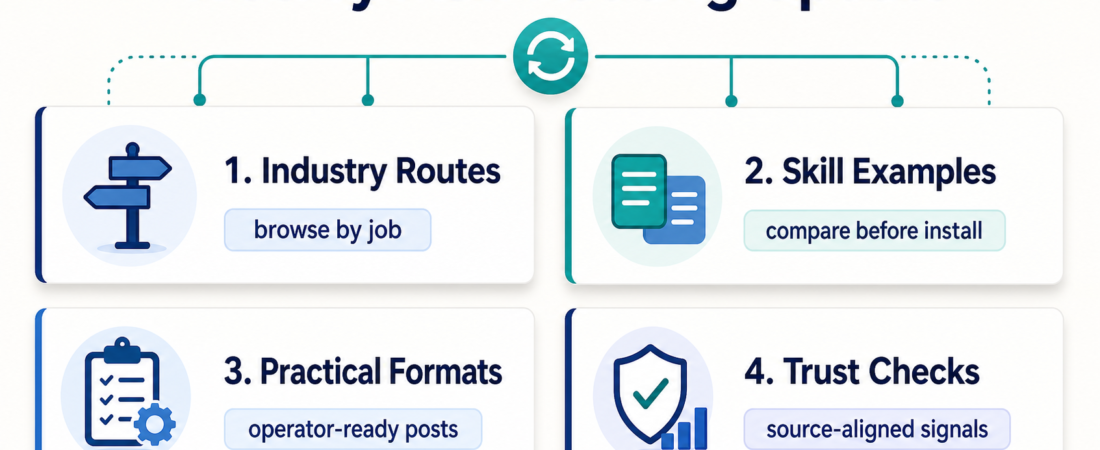
ASE’s useful change this week is simple: the marketplace is becoming easier to read by job, not just by tool name. Teams arrive with an operational question: which skill helps finance intake vendor documents, which one helps an agency validate a client workflow, or which collection is safe enough to browse before giving an agent access to internal systems?
The latest updates push ASE toward that operator view. The Industry Collections page now works more like a routing layer, recent posts use a tighter practical format, and the surrounding trust guidance keeps repeating one useful rule: install decisions should be grounded in source-backed evidence, clear boundaries, and the actual job to be done.
| Change | Reader impact | Next action |
|---|---|---|
| Industry routing | Start from a business context instead of a raw skill list. | Open the relevant industry collection first. |
| Practical post format | Get a fast recommendation, starter path, links, risks, and FAQ. | Scan the same sections before comparing skills. |
| Trust-focused linking | Move from hype to source-aligned checks before installing. | Review source, category, risk, and fit together. |
In Short
This week’s ASE changelog is about navigation quality. Industry collections are becoming a better first stop for people who think in jobs like finance ops, legal intake, support, media production, ecommerce, product analytics, DevRel, and AI agency delivery. The blog format is also settling into a repeatable operator shape: summary, audience, decision path, recommended skills, watchouts, and FAQ.
That structure is not cosmetic. Agent skill marketplaces get noisy when every tool is framed as generally useful. The better pattern is to show where a skill belongs, what it should not do, and which neighboring skills complete the job. A finance operator comparing Xero MCP, spreadsheet repair, and invoice extraction needs different context from an agency operator comparing Nanobrowser and OmniParser.
Who this is for
This update is for operators who browse ASE with a practical outcome in mind. If you are trying to build a repeatable internal process, choose a safer starting point for an agent, or explain why one skill fits a team better than another, the new routing and post structure should save time.
Decision path
Start with the job, then pick the collection. If the work is invoice intake, filing review, billing reconciliation, or spreadsheet analysis, begin with finance and filings rather than searching for a generic PDF tool. If the work is legal or healthcare intake, the same document tools may appear, but redaction, auditability, source handling, and review gates matter more than speed.
Next, compare the task shape. A one-off document conversion may only need Zerox or another focused parser. A recurring document queue may need LlamaCloud, validation, and a review packet. Client workflow QA may need browser automation, GUI parsing, and a release check instead of a single browser driver.
Then apply the trust filter. Read the skill page before installing anything. Look for a source URL, a clear use case, and sensible category placement. Trust signals are useful only when they point back to the real project or a reviewable implementation.
Recommended ASE skills
For finance and filings, start with Connect accounting agents to Xero through MCP when the job involves accounting-system context, and use document extraction skills only for the intake layer. For document-heavy routing, compare Extract OCR-ready markdown from documents with Zerox with Build managed document parsing pipelines with LlamaCloud services based on whether the task is a single conversion or a repeatable pipeline.
For AI agency delivery, Run local multi-agent browser tasks with Nanobrowser fits local browser work. Use OmniParser for vision-based GUI parsing helps when selectors are not enough. Give coding agents Figma layout context through MCP connects design context to implementation. Future AGI release checks belongs near the end, where evaluation can catch regressions before a client sees them.
For browsing, use Browse Skills for tool types, Categories for functional buckets, and the Blog when you need a decision path first.
What to watch
The main risk is over-reading an industry collection as an endorsement. It is not. A collection is a starting map. The install decision still depends on permissions, data sensitivity, vendor maturity, and whether the skill is a wrapper around a real upstream project or a custom workflow that needs closer review.
The second risk is treating practical posts as universal recipes. They shorten comparison time; they do not remove judgment. A recommended starting point still needs review before it gets credentials, sends messages, updates records, or runs unattended.
FAQ
Why did ASE add more operator-style blog formats?
Because readers usually need a decision aid, not a long essay. The practical format makes each post easier to scan: what changed, who it helps, what to try, and what to watch before installing.
Should I install a skill just because it appears in an industry collection?
No. Use the collection to find candidates, then read the individual skill page. Check the source, permissions, setup requirements, and fit for your data before installing.
Where should I start this week?
If you are exploring by role, start with Industry Collections. If you are comparing tool types, start with Categories. If you need a guided recommendation first, use the recent practical posts on the ASE blog.