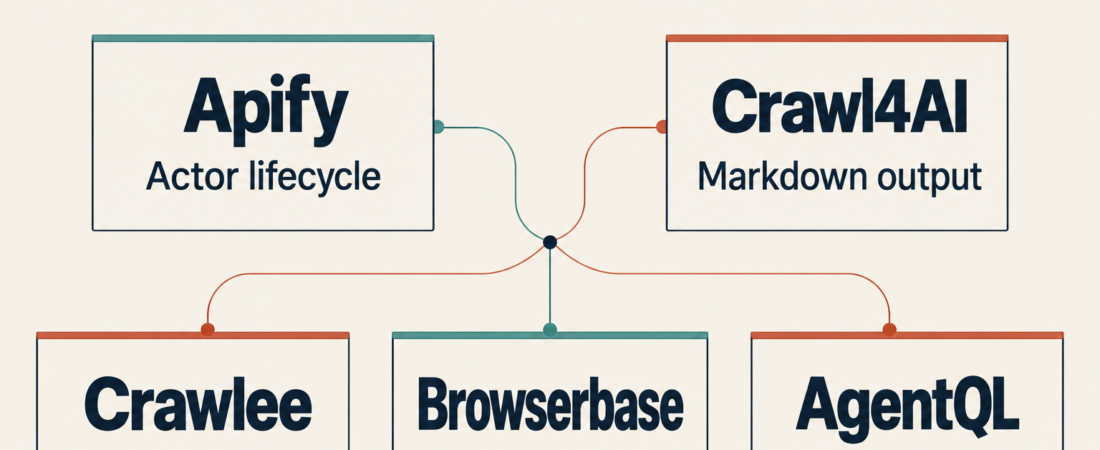
Apify, Crawlee, Crawl4AI, Browserbase, or AgentQL: Choosing a Web Data Collection Stack
In Short
Choose a web data collection stack by the layer you need to own. Apify fits Actor execution and platform integration; Crawlee fits programmable crawling; Crawl4AI fits content preparation for language models; Browserbase fits hosted browser execution; AgentQL fits semantic queries for extraction. These choices can complement each other. Start with a defined output and a bounded pilot before combining services.
This decision guide compares responsibilities rather than declaring a universal winner. A crawler that reaches every page can still return unusable records. An extraction tool that reads one page correctly still needs a plan for discovery, retries, storage, and review.
Who this is for
This is for operators building research feeds, documentation ingestion, or structured public-web datasets for agent workflows. It assumes you can name permitted sources, define the fields you need, and inspect sample output. If a source offers a suitable documented API or export, evaluate that path before adding browser automation.
Write down your input domains, output schema, refresh interval, and execution owner. Separate reading pages from actions that change accounts or submit forms. For an initial pilot, choose 20 permitted URLs spanning ordinary pages, pagination, missing fields, and dynamic content. That is a suggested evaluation sample, not a vendor benchmark.
Decision path
Need a packaged execution unit? The official Apify SDK manages Actor lifecycle, storage access, platform events, and proxy configuration. Actors can run locally or on Apify. Choose this route when deployment and repeatable runs are central requirements. Review an Actor’s inputs and outputs before connecting its dataset to downstream agent decisions.
Need control over traversal? Crawlee’s official repository describes HTTP and browser crawling options, including Playwright, Puppeteer, and Cheerio. Consider it when developers need to own request handling and extraction logic. Apify and Crawlee are related but serve different responsibilities: the Apify SDK documentation explicitly identifies Crawlee as the library providing crawlers.
Need readable content for retrieval? Crawl4AI focuses on crawling and producing Markdown suitable for language-model workflows. Pilot it when the immediate deliverable is a cleaned document corpus. Compare converted output with the source page: headings, tables, navigation removal, and source attribution all affect whether later answers can be checked.
Need remote browser execution? Browserbase belongs in the browser infrastructure decision. However, the queue’s Browserbase MCP reference repository is archived and explicitly says it is no longer maintained or representative of current production services. Use it to understand the historical integration, then check current official documentation before selecting an implementation. Do not turn an old setup example into a production recommendation.
Need semantic field targeting? AgentQL’s official repository describes a natural-language query system, structured output, and Playwright integrations. Evaluate it when locating fields or elements is the difficult part. Test ambiguous labels and absent values; a plausible field value is insufficient unless it belongs to the correct record.
| Need | Candidate | Review artifact |
|---|---|---|
| Actor execution | Apify | Run input and dataset sample |
| Crawl control | Crawlee | URL coverage and retry log |
| Readable corpus | Crawl4AI | Source-to-Markdown comparison |
| Hosted browser | Browserbase | Current integration and session policy |
| Semantic extraction | AgentQL | Field-level validation sample |
Recommended ASE skills
- Apify Actor Web Crawler: start here when the handoff is an Actor run and its collected dataset. Record configuration alongside the output.
- Crawlee Web Crawling and Scraping SDK: use this route for developer-owned crawling. Make URL boundaries and failed requests visible in the review packet.
- Crawl4AI LLM-Friendly Web Crawler: inspect this skill for a document-to-retrieval workflow. Preserve source URLs and collection timestamps with each document.
- Browserbase MCP Server: review the integration context with the upstream archive warning in mind. Confirm present support before adopting any historical commands.
- AgentQL Natural Language Web Query SDK: evaluate this when semantic extraction is needed. Keep an expected-output fixture beside every representative query.
What to watch
Run candidates against the same fixture set and schema. Record accepted records, missing required fields, duplicate identifiers, failed URLs, elapsed time, and actual execution charges. Compare cost per accepted record rather than cost per request. Keep extraction errors separate from navigation failures so the next change addresses the right layer.
Set pilot limits before execution: for example, 20 URLs, a 10-minute run budget, and no more than 2 retries per failed URL. These are proposed operating limits, not product capabilities. Require every accepted record to retain its source URL. Stop on unexpected authentication prompts or out-of-scope navigation, and review what a hosted browser or extraction service receives.
FAQ
Should I install all five tools?
No. Choose the smallest combination that meets the output contract. Add another layer only after identifying a concrete gap, such as browser execution, crawl scheduling, or field targeting.
Does Markdown replace structured extraction?
Markdown can suit document retrieval, while records with required fields need schema validation. Decide which output your downstream workflow consumes before choosing the collection tool.
How do I approve the first production run?
Review the fixture results, unresolved failures, source boundaries, retention plan, and run limits. Approve one bounded collection, then inspect its accepted records before increasing coverage or frequency.