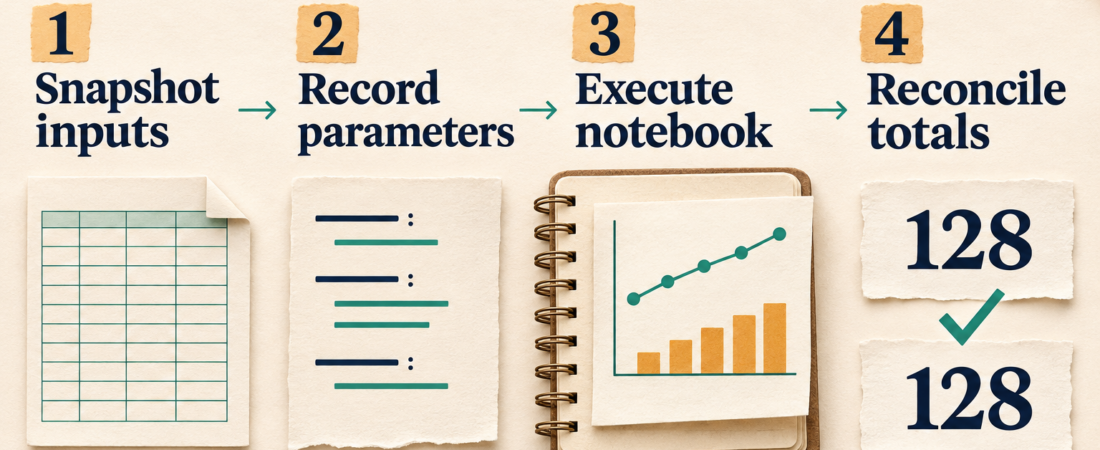
A Parameterized Notebook Rerun Packet Before Scheduled Reports Go Live
In Short
A parameterized notebook rerun packet gives a reviewer the inputs, environment, parameters, executed notebook, and reconciliation evidence behind a report. Before scheduled reports go live, prove that one existing Jupyter notebook can run locally from a fresh kernel with explicit inputs and a separate output directory. Papermill supplies the execution step; qsv checks the tabular input; DuckDB helps compare the resulting totals with the source snapshot.
The following is a proposed operator workflow, with illustrative paths and acceptance rules. Its deliverable is a reviewed reporting packet. A human decides whether to schedule or distribute it afterward.
Who this is for
This is for analysts and small data teams inheriting a reporting notebook that currently works through manual edits and remembered cell order. Start with a notebook whose calculations already make sense to its owner. If the business definition of revenue or the reporting window remains disputed, settle that before automating execution.
Choose a local, read-only input snapshot and remove cells that send messages, update production tables, or overwrite shared reports. The agent’s assignment ends with evidence for review. It does not include production writes or scheduling.
Starter workflow
1. Freeze the inputs and environment
Create a unique directory such as runs/2026-11-11-check-01/. Store the original CSV, its source and extraction time, a checksum, the notebook revision, and the dependency lockfile or resolved package inventory. Record the Python version, kernel name, qsv version, and DuckDB version. Keep credentials out of the packet.
Confirm the installed tools against their upstream setup instructions. The Papermill repository documents installation with pip install papermill; the environment must also contain the notebook’s kernel and dependencies. Reuse the project’s pinned environment rather than upgrading packages during the rerun.
2. Validate the reporting input
The qsv command reference distinguishes CSV readability checks from JSON Schema validation. Start with qsv validate inputs/sales.csv. Where an approved schema exists, use qsv validate inputs/sales.csv inputs/sales.schema.json. Retain command output and exit status; stop on failure. Passing a syntax check alone does not establish business correctness.
Record row count, required columns, missing identifiers, date coverage, and duplicate-key policy. If cleanup is necessary, preserve the original and write a separate normalized file with a transformation note. The notebook and reconciliation queries must both use the same accepted snapshot.
3. Make parameter provenance explicit
Put simple defaults in one cell tagged parameters. Papermill injects overrides after that cell, as its parameterization guide explains. Compute derived values in later cells so they use the overridden inputs. Avoid hidden dependencies on values left in an interactive kernel.
Save an explicit YAML file beside the run artifacts. For this example, the notebook must be written to read these variable names and export its report into the specified directory:
input_csv: "inputs/sales.csv"
report_start: "2026-10-01"
report_end_exclusive: "2026-11-01"
output_dir: "runs/2026-11-11-check-01/exports"
Quote date-like values and identifiers where their string type matters. Record who chose the window and whether boundaries are inclusive or exclusive. Treat the YAML and notebook revision as a pair: changing either creates a new review candidate.
4. Execute into a separate notebook
Papermill’s execution documentation supports a YAML parameter file through -f. After preparing the output folders, run from the recorded project directory:
papermill report.ipynb runs/2026-11-11-check-01/executed.ipynb -f runs/2026-11-11-check-01/parameters.yaml
Retain the executed notebook, logs, exit status, and exported files. Keep the source notebook separate. A failed run remains evidence of a failure; repair the cause and create a new run directory rather than replacing the previous artifacts.
5. Reconcile and hand off
DuckDB provides an in-process analytical database for local SQL work. Use it to calculate independent control totals from the accepted input and compare them with the notebook’s exported summary. Record the SQL, file paths, inferred or explicit types, and results.
Check row coverage, distinct business keys, and grouped amounts using the same date window. Define rounding and null treatment before comparing. For example, require zero unexplained missing keys and exact agreement for integer unit counts; document any justified tolerance for decimal amounts. A matching grand total can still hide offsetting group errors.
| Stage | Evidence retained |
|---|---|
| Snapshot | Input checksum and environment record |
| Parameterize | YAML file and notebook revision |
| Execute | Executed notebook, exports, logs, exit status |
| Reconcile | SQL comparisons and reviewer decision |
Recommended ASE skills
- Parameterize and execute notebooks as repeatable runs: the primary route for explicit inputs and retained execution artifacts.
- Profile and clean CSV datasets with qsv: inspect the snapshot before execution.
- DuckDB SQL Analytics Agent: reconcile local files with reviewable queries.
- Jupytext notebook pairing: support readable source diffs when notebook logic changes.
- Notebook code checks with nbQA: apply the project’s existing Python quality checks before rerunning.
What to watch
Randomness, changing external services, implicit time zones, and unpinned dependencies can change results. Repeatable execution does not guarantee byte-identical output. Record these limits and separate expected variation from unexplained discrepancies. Review notebook outputs for sensitive data before sharing the packet.
FAQ
Does a successful Papermill run prove the report is correct?
No. Completion establishes execution; independent reconciliation and owner review establish whether the reporting result is acceptable.
Can I reuse the previous executed notebook?
Use the reviewed source notebook as the next input and retain each executed notebook separately. This keeps source changes and run evidence distinguishable.
When is it ready for scheduling?
When a reviewer can trace parameters, inputs, outputs, and reconciliations to the same run and approve the remaining limitations. Scheduling and distribution need their own owner decision.