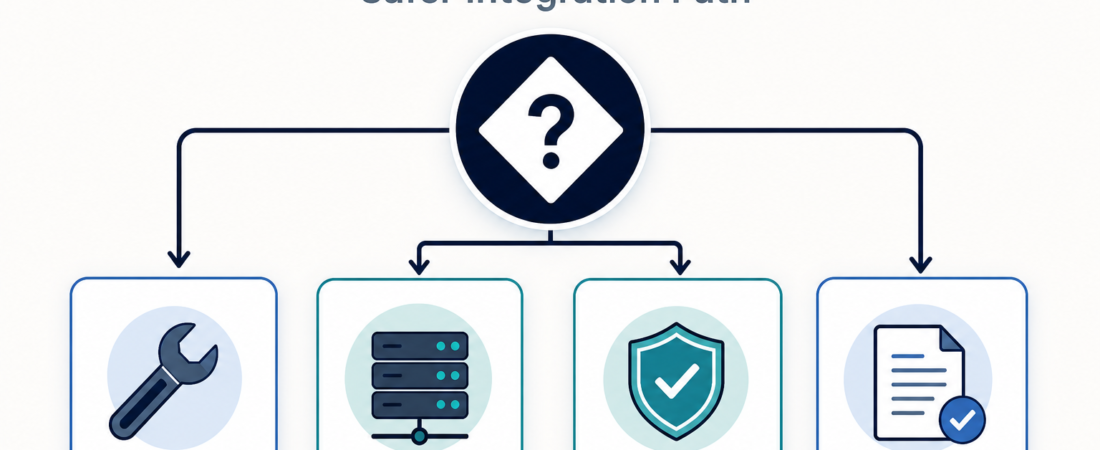
MCP Gateway or Direct Tool Calls: Choosing the Safer Integration Path
MCP makes tool connections easier to compose, but easier composition is not the same as safer operation. A team can wire an agent directly to a tool server, database wrapper, script, or API. It can also put a gateway between agents and tools, then make that gateway the place where approval, routing, and audit rules live. The safer path depends less on the protocol label and more on blast radius: what the tool can reach, who can change it, and what evidence remains after each run.
| Path | Use when | Evidence to keep |
|---|---|---|
| Direct tool call | One narrow tool, one trusted operator, short experiment | Config, permission scope, run log |
| Direct MCP server | A stable tool needs a standard client interface | Server manifest, allowed actions, owner review |
| MCP gateway | Many tools, shared agents, policy boundaries | Allowlist, gateway policy, audit trail |
In Short
The Model Context Protocol gives clients a common way to connect to tools, prompts, and resources. That common shape is useful because teams can standardize how agents discover and call capabilities. It also raises a plain operational question: should an agent connect straight to each tool server, or should tool access run through a gateway first?
Direct calls are fine when the tool is narrow, reversible, and owned by the same team running the agent. A gateway becomes more attractive when the tool list grows, when different teams own different capabilities, or when production data and external side effects are involved. Docker’s MCP Gateway documentation frames the gateway as a way to run and manage approved MCP servers from a controlled environment. That pattern is not magic security by itself, but it gives operators a practical place to enforce policy.
Who this is for
This guide is for teams deciding how agents should reach internal tools. It fits platform leads, security reviewers, developer-experience teams, and operators who are moving from a local prototype to shared agent workflows. It is also useful when a team already has a few MCP servers and is starting to worry that every new server becomes another permission review, another secret-handling path, and another place to inspect during an incident.
If the agent only reads public docs or calls a mock service, a gateway may be extra weight. If the agent can query customer data, touch production infrastructure, send messages, open tickets, or modify records, the question changes. The team needs a way to prove which tool was approved, which action was called, which identity authorized it, and what output came back.
Decision path
Start with the smallest accountable path. If one operator is testing one read-only tool against non-sensitive data, a direct tool call or direct MCP server is usually enough. Keep the config in version control, name the owner, and record the expected inputs and outputs.
Move to a direct MCP server when the capability needs a stable interface for multiple MCP clients. This is often the right middle step for a tool that is useful but still bounded, such as a docs search server, a read-only browser automation server, or a database interface with fixed queries. The important rule is that the server should expose the smallest useful action set. “Query anything” is harder to review than “run these approved lookups.”
Use a gateway when tool choice, policy, or auditability becomes the main problem. A gateway can centralize allowlists, route clients to approved servers, make tool changes visible, and reduce the number of places where secrets and network access are configured. It also helps when different environments need different rules: local development can stay permissive, staging can mirror production tools, and production can require stricter approvals.
A hybrid path is common. Let a team start direct for a proof of concept, then promote the stable tool behind a gateway once it becomes shared infrastructure. The promotion should be explicit: name what changed, what policy applies, what logs are retained, and how to roll back if the gateway blocks a legitimate workflow.
Recommended ASE skills
Use the required MCP gateway and server skills first, then add supporting controls based on the tool’s risk profile.
- Run approved MCP servers through Docker MCP Gateway for teams that want a controlled gateway pattern around approved MCP servers.
- Build and inspect MCP apps and servers with mcp-use when you need to inspect or build MCP clients and servers before making them shared infrastructure.
- Expose approved database operations to MCP clients with MCP Toolbox before ad hoc SQL glue sprawls when database access should be constrained to known operations.
- Use MCP Context Forge as an MCP gateway and registry when registration, discovery, and gateway behavior need to be easier to inspect.
- Govern agent skills, MCP servers, prompts, and tool calls with DefenseClaw when the review layer needs to cover tool calls and prompts together.
What to watch
The biggest failure mode is treating the gateway label as proof of safety. A gateway with broad allowlists, shared credentials, and thin logs can still leave a team guessing after a bad run. The useful controls are concrete: named owners, narrow action lists, environment-specific rules, retained logs, and clear emergency disable paths.
Also watch for hidden bypasses. If the agent can call the gateway and also call the same production API directly, the gateway is advisory rather than authoritative. If a local MCP server has more permissions than the gateway path, local development can become the weaker route into sensitive systems. Keep direct access available only where it has a named reason and a review date.
Finally, avoid turning every experiment into platform work on day one. The gateway path earns its keep when tools become shared, risky, or durable. Before that, a narrow direct setup with good notes may be the more honest choice.
FAQ
Is a gateway always safer than direct MCP calls?
A gateway is safer only when it enforces real policy and produces useful evidence. Without allowlists, scoped credentials, and logs, it can become another routing layer without reducing risk.
When should a prototype move behind a gateway?
Move it when more than one agent or team depends on it, when the tool reaches sensitive data, when actions have external side effects, or when reviewers need a consistent audit trail.
Can direct calls still be production-ready?
Yes, for narrow tools with clear ownership, limited permissions, and good run evidence. Direct does not mean careless. It means the control point lives in the tool and its surrounding process rather than in a shared gateway.