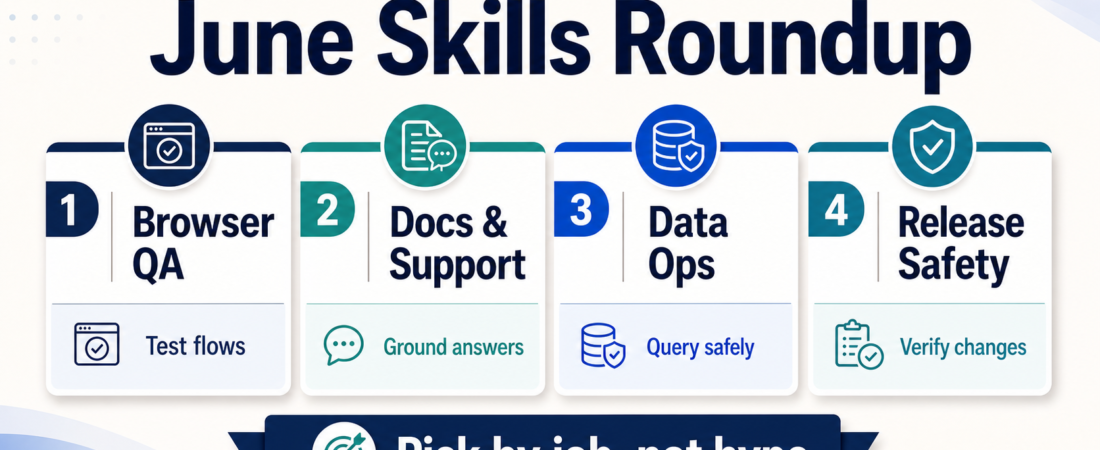
June ASE Roundup: The Practical Skills Operators Should Notice
June was a useful month on Agent Skill Exchange because the strongest additions were not novelty demos. They were operator tools: browser checks that can run before a client sees a broken flow, document and support helpers that keep answers grounded, data tools that reduce risky ad hoc querying, and release-safety skills that make agent-assisted work easier to review.
The easiest mistake is to browse a skill marketplace by tool name. A better starting point is the job you need done. If the job is repeated, evidence-based, and annoying enough that people skip it under pressure, it is a good candidate for a skill-assisted workflow.
| Operator job | Try first | Use when | Human checkpoint |
|---|---|---|---|
| Browser QA | Playwright checks | A release depends on real user flows | Review failing screenshots and traces |
| Docs and support | Grounded retrieval | Teams answer from scattered docs | Approve source-backed reply patterns |
| Data operations | Semantic or read-only querying | Operators need answers without direct write access | Confirm scopes, filters, and export rules |
| Release safety | Security and CI checks | Agents open or modify code changes | Require evidence before merge |
In Short
This month’s practical theme is simple: ASE is most valuable when it helps teams choose skills by operational job, not by hype category. The skills worth noticing are the ones that create repeatable evidence before a person makes a decision.
For browser-heavy teams, start with real end-to-end checks. For support and research teams, start with grounded document answers. For product and data teams, start with scoped data access and semantic layers. For engineering teams, start with release checks that make agent work inspectable.
The point is not to automate everything. The point is to make the boring review work easier to run every time.
Who this is for
This roundup is for operators who already have a few agent experiments running and want a saner next step. That includes product managers checking launch readiness, support leads cleaning up answer quality, DevRel teams keeping docs current, agency teams testing client workflows, and engineers deciding which agent-generated changes deserve review time.
It is also for teams that feel overwhelmed by the catalog. You do not need a giant stack on day one. Pick one repeated job, choose one skill that creates a visible artifact, and make the review step explicit.
Starter workflow
Start with the work surface where mistakes are most visible.
If your risk is broken user journeys, begin with browser automation. Drive token-efficient browser testing from coding agents with Playwright CLI is useful when a coding agent needs to verify flows without flooding the context window. Run browser and API automation through the Playwright MCP server is a stronger fit when the agent needs reusable browser and API actions through MCP. For local app checks, Verify local web apps with Playwright scripts and managed dev servers keeps the test loop close to the code.
If your risk is unsupported answers, start with retrieval and support context. Build document-grounded agent context workflows with RAGFlow is the kind of skill to evaluate when answers must cite internal material instead of improvising. Use RAGFlow as a retrieval and context layer for agent workflows fits teams that need a shared context layer before they scale assistant usage. For support queues, Search Help Scout conversations and thread context before drafting support replies points the agent toward the conversation history before it writes.
If your risk is unsafe data access, keep the first step read-only and reviewable. Give agents governed semantic data context with Wren Engine is worth a look when business users need metrics but the team wants a governed semantic layer. Run deterministic SQL and dbt analysis under coding agents with Altimate Code helps keep analytics work closer to deterministic checks than free-form guessing.
If your risk is agent-written code landing too casually, add release safety before you add more autonomy. Gate pull requests with targeted diff-aware AI security review using Claude Code Security Review is aimed at focused review of changed code. Pin CI workflow actions and images with Ratchet reduces supply-chain drift in CI. Screen packages and agent skill repos for malware and supply-chain risk before adoption with SafeDep vet belongs in the pre-adoption checklist for new dependencies and skill repos.
Recommended ASE skills
For a small team choosing only five starting points, I would shortlist one per job:
- Playwright CLI browser testing for visible product flows.
- RAGFlow document-grounded context for support and research answers.
- Wren Engine semantic data context for governed analytics access.
- Claude Code Security Review for pull-request review evidence.
- Claude Mem agent session context for teams that keep losing useful operating context between sessions.
That set is intentionally mixed. It covers customer-facing behavior, internal knowledge, data access, release review, and continuity. Those are the places where agent work usually either becomes useful or becomes noise.
What to watch
Do not confuse a working demo with an operating habit. A skill is only useful if someone knows when to run it, what output to expect, and what decision follows from the output.
Watch for three failure modes. First, skills that require broad credentials before they prove value. Second, skills that generate impressive text but no source, trace, screenshot, query, or diff. Third, stacks that add orchestration before the team has one reliable review loop.
For June’s batch, the better pattern is boring and effective: run the check, inspect the evidence, decide the next action. If a skill cannot support that pattern, wait before putting it near production work.
FAQ
Should I install all of these skills?
No. Pick one operational pain point and start there. Browser QA, support grounding, data access, and release safety are different jobs. Installing everything at once makes it harder to see what actually helped.
What is the best first skill for most teams?
If the team ships web software, start with browser verification. It creates concrete evidence quickly: screenshots, traces, pass/fail output, and reproducible steps. That makes it easier to trust the agent’s work without trusting its prose.
How should I evaluate a monthly roundup skill?
Ask four questions: what system does it touch, what permission does it need, what artifact does it produce, and who reviews that artifact? If those answers are vague, the skill is not ready for routine use.
Where should I browse next?
Start with the ASE skills directory, then narrow by job. The best path is not “most popular first.” It is “closest to the workflow we already repeat.”